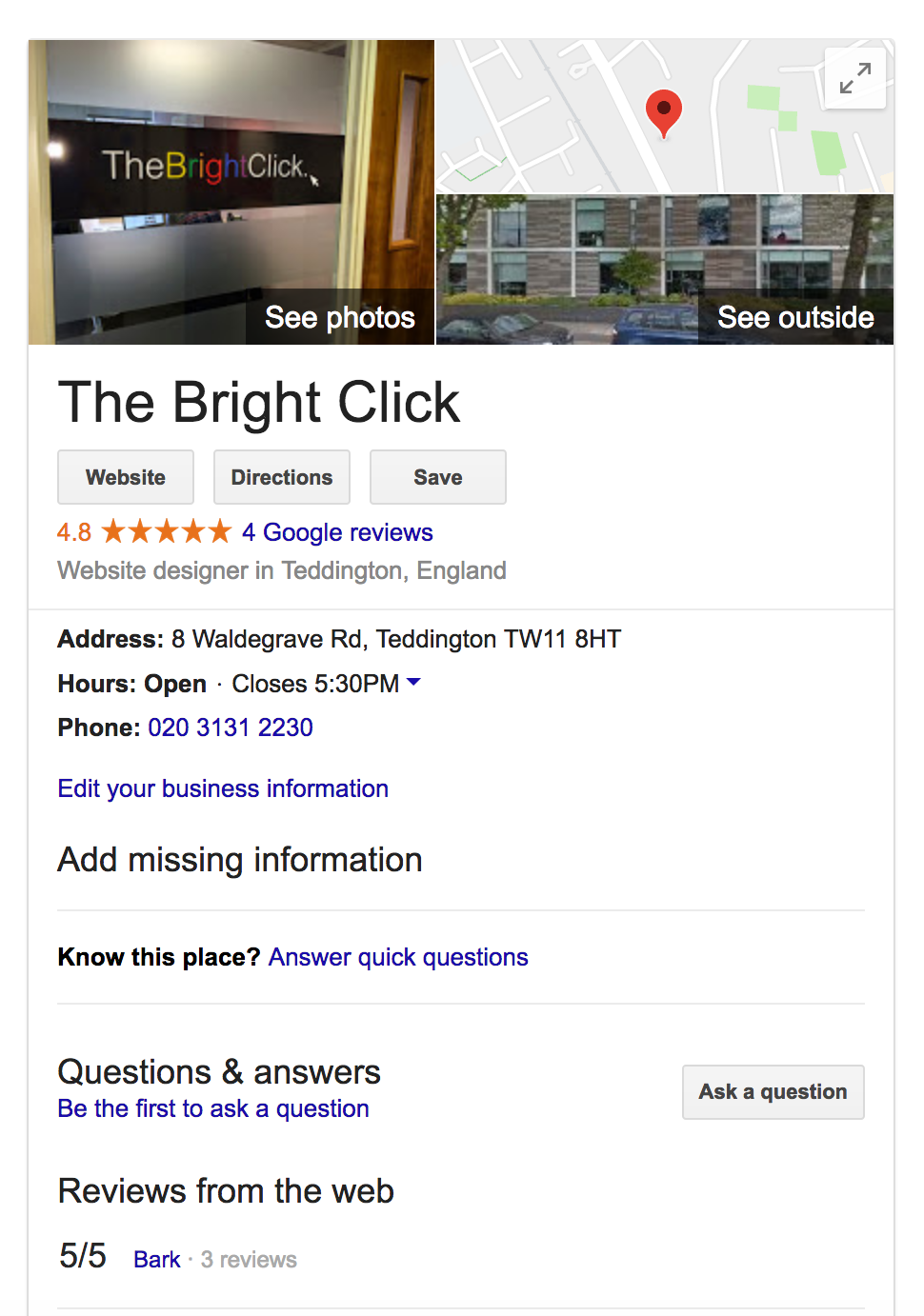
When looking for a local business, the first thing that most people will do is to perform a search on Google. For example, if you are looking for a local convenience store you might simply type ‘shop’ into the search bar. Most people will only look at the first one or two results that Google displays, before either visiting the shop, or contacting them to take things further. In this case, you will be looking at the information provided by Google that appears at the top of the page, usually with a map of the shop’s location.
This information is the first contact that most people will have with your business online, and this is why it is so important for you to have access to, and control over your Google My Business listing! Things like opening and closing times, services offered, your phone number, and photographs will also be displayed, so it is important that these are accurate.
How do I get a Google My Business page?
Now we know how important these Google Business pages are, let’s discuss how you go about getting yourself one. Visit
https://www.google.com/business to claim and verify your Google My Business Listing. You will need access to your business’s phone line to verify your business, so make sure it’s close by.
How do I optimise my Google My Business page?
Optimising your Google My Business page may sound a little complicated, but it’s actually very easy. Simple fill out ALL of the information that Google asks for as accurately as possible. Everything from opening times, phone numbers, and services need to be identified so that your customers have an accurate overview of your business. Most people don’t realise that if you don’t fill certain details out, then anyone on the internet can suggest changes to add the information in – this is often wrong and could be damaging to your business as it confuses customers.
What are Google My Business Posts?
Google My Business Posts are sort of mini advertisements that show up near your Google My Business listing. You can add a photograph, image, links to other websites or even a Call To Action to get customers clicking around. These posts are a really fun way to advertise events, sales, blog posts or even new products, and even have the ability to stay ‘live’ for seven days and can ‘go dark’ after an event is over.